管理文档版本
Docusaurus 可以管理多个版本的文档。
创建一个文档版本
为项目发布 1.0 版本:
npm run docusaurus docs:version 1.0
docs 文件夹会被复制到 versioned_docs/version-1.0,并创建 versions.json。
现在你的文档有两个版本:
1.0:版本 1.0 的文档,地址为http://localhost:3000/docs/current:即将发布、尚未定稿的文档,地址为http://localhost:3000/docs/next/
添加版本下拉菜单
为了在版本之间流畅切换,可以添加一个版本下拉菜单。
修改 docusaurus.config.js 文件:
docusaurus.config.js
export default {
  themeConfig: {
    navbar: {
      items: [
        {
          type: 'docsVersionDropdown',
        },
      ],
    },
  },
};
导航栏中会出现文档版本下拉菜单:
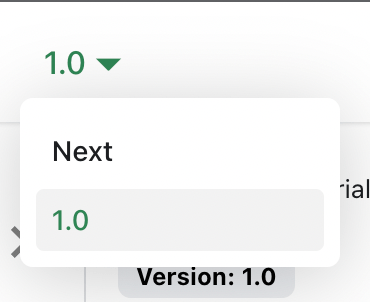
更新已有版本
可在各自的文件夹中编辑已版本的文档:
versioned_docs/version-1.0/hello.md更新http://localhost:3000/docs/hellodocs/hello.md更新http://localhost:3000/docs/next/hello